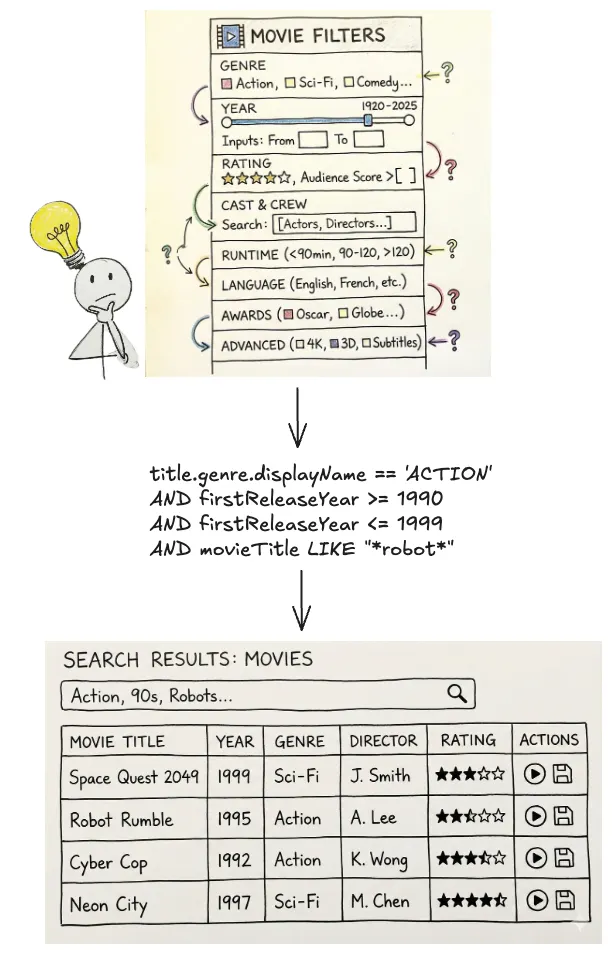
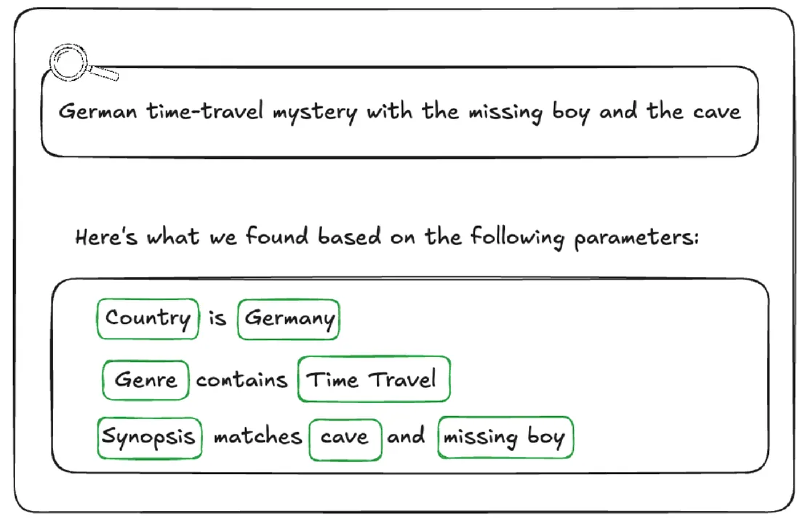
One way we are handling ambiguity is by showing our work. We visualise the generated filters in the UI in a user-friendly way allowing them to very clearly see if the answer we’re returning is what they were looking for so they can trust the results.
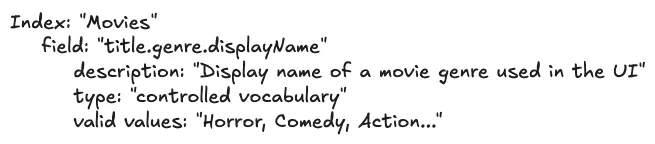
We cannot show a raw DSL string (e.g., origin.country == ‘Germany’ AND genre.tags CONTAINS ‘Time Travel’ AND synopsisKeywords LIKE ‘cave’) to a non-technical user. Instead, we reflect its underlying AST into UI components.
After the LLM generates a filter statement, we parse it into an AST, and then map that AST to the existing “Chips” and “Facets” in our UI (see below). If the LLM generates a filter for origin.country == ‘Germany’, the user sees the “Country” dropdown pre-selected to “Germany.” This gives users immediate visual feedback and the ability to easily fine-tune the query using standard UI controls when the results need improvement or further experimentation.
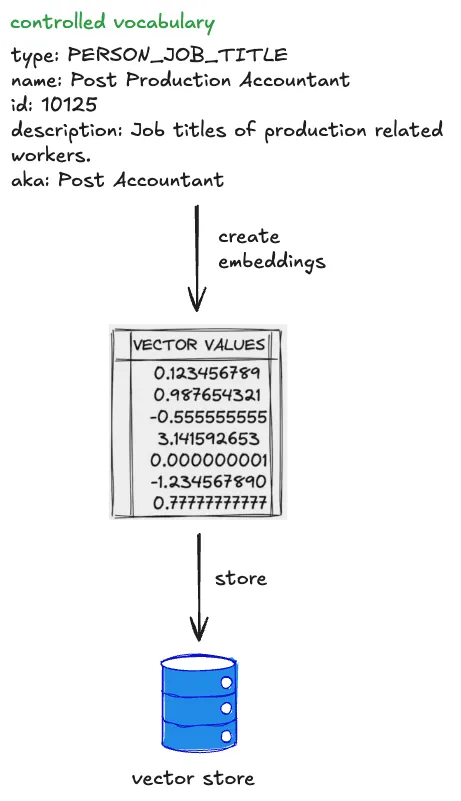
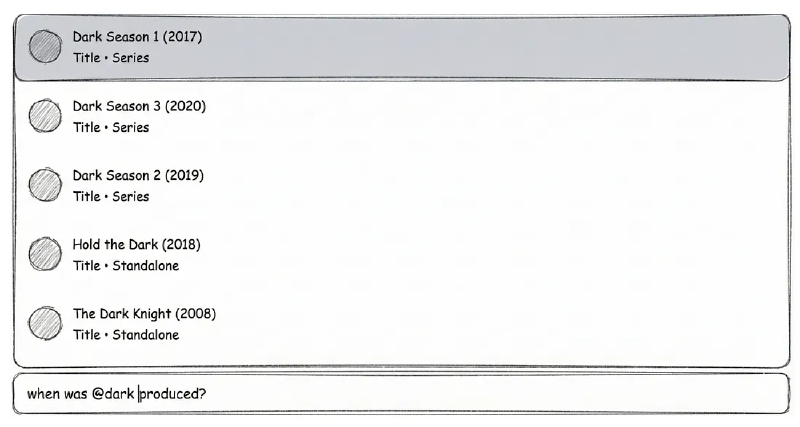
Another strategy we’ve developed to remove ambiguity happens at query time. We give users the ability to constrain their input to refer to known entities using “@mentions”. Similar to Slack, typing @ lets them search for entities directly from our specialized UI Graph Search component, giving them easy access to multiple controlled vocabularies (plus other identifying metadata like launch year) to feel confident they’re choosing the entity they intend.
If a user types, “When was @dark produced”, we explicitly know they are referring to the Series controlled vocabulary, allowing us to bypass the RAG inference step and hard-code that context, significantly increasing pragmatic correctness (and building user trust in the process).